
Free billing and invoicing software for India
Simple billing, made for Indian businesses.
Create a professional invoice in about a minute — then print it, download the PDF, or share it straight from your phone. No complicated setup, no accounting jargon.
- Free to use
- GST and non-GST invoices
- Works in any browser
- Installs on your phone
- No card required
The real thing
This is the actual application
No mockups. Everything below is a screenshot of Billbana, using a sample business.
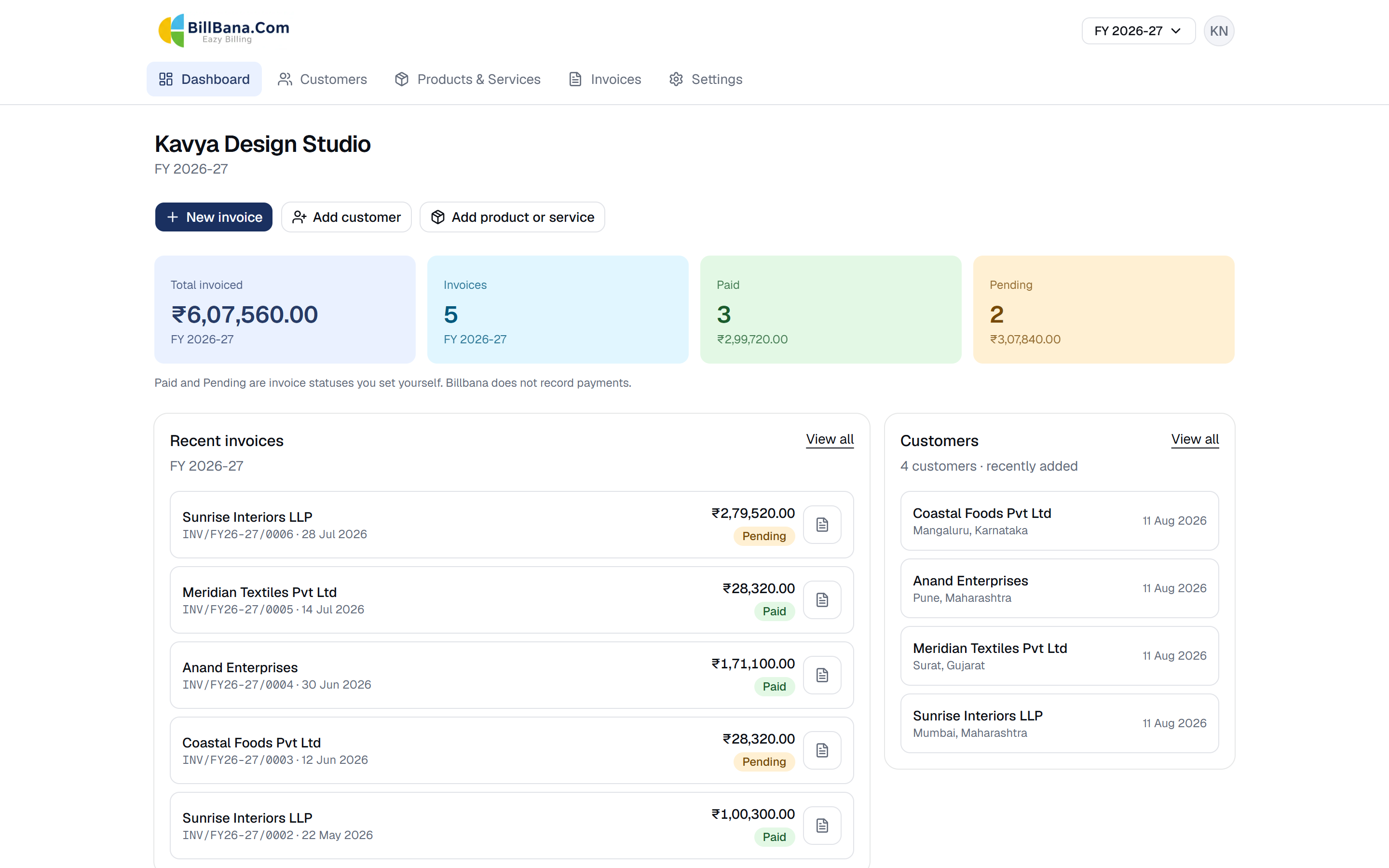
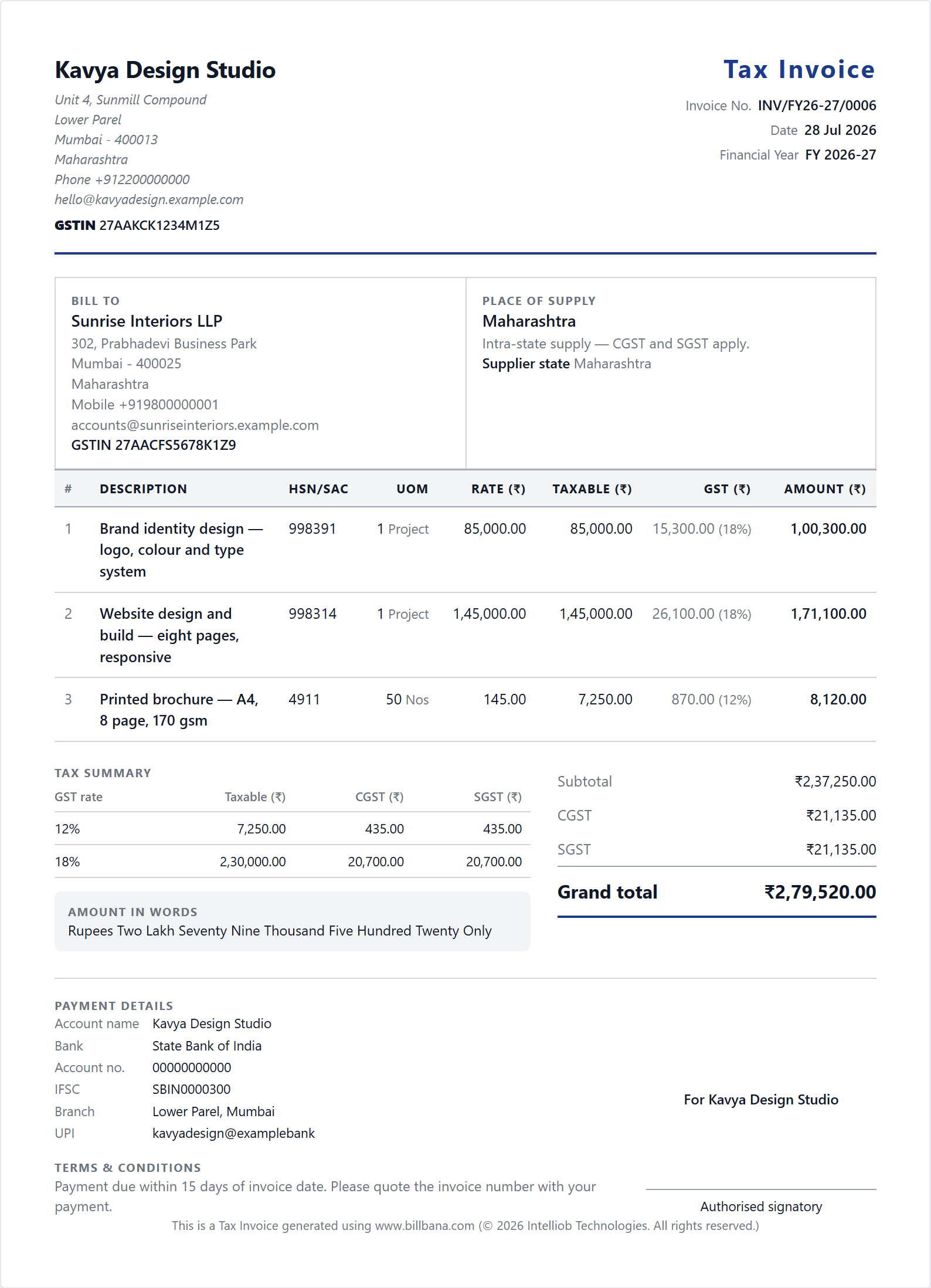
What you get
Everything billing needs. Nothing it doesn't.
Billbana does one job properly instead of six jobs badly.
Professional invoices, fast
Pick a customer, add your items, save. Totals, tax and the amount in words are calculated as you type — no formulas to maintain.
GST or non-GST, your choice
Registered or not, you can bill either way. When GST applies, Billbana works out CGST and SGST for a sale inside your state and IGST for one outside it.
Customers and items, saved once
Keep your regular customers and your products or services on file, with their rates, units and HSN or SAC codes. Add a new one mid-invoice without losing your place.
Print, download, share
Download a clean PDF built by Billbana — not a browser printout — or send it straight from your phone's own share sheet.
Your business on every invoice
Add your logo, signature, address, GSTIN, bank details and UPI ID once. They appear on every invoice you raise from then on.
Financial-year numbering
Invoices are numbered per financial year, in sequence, by the system — INV/FY26-27/0001. Switch year to see the books for any year you have billed in.
Getting started
Billing in three steps
Most people send their first invoice within a few minutes of signing up.
Create your free account
Sign up with your email address and a password. Confirm the link we email you — that is the whole account setup.
Add your business once
Setup asks for your business name, your state and a mobile number. Add your GSTIN, logo, signature and bank details whenever you are ready — they then appear on every invoice.
Raise your first invoice
Choose a customer, add your items, and save. Print it, download the PDF or share it — from a laptop or straight from your phone.
Why Billbana
Built for the person doing their own billing
Most billing software is built for accountants. This one is built for the owner.
- Genuinely free
- The billing features described on this page are free to use. There is no trial period, no invoice limit and no card to enter. If that ever changes, we will tell you in advance, and you will be able to export your data first.
- Simple on purpose
- No chart of accounts, no journal entries, no vouchers. If you can fill in a form, you can raise an invoice — no accounting background required.
- Made for India
- GST and non-GST billing, CGST/SGST and IGST handled by state, HSN and SAC codes, the April–March financial year, rupee formatting in lakhs and crores, and the amount written out in words.
- Works where you work
- It runs in a browser on any laptop or phone. Add it to your home screen and it opens like an app. Nothing to install, nothing to update.
Who it's for
If you send invoices, this is for you
Billbana suits people billing other businesses. It is not a shop counter or point-of-sale system, and it does not manage stock.
Freelancers
Designers, developers, writers and photographers billing per project or per month.
Consultants & professionals
Independent advisors and practitioners raising fee invoices with SAC codes.
Service businesses
Agencies, repair and maintenance firms, contractors and studios.
Traders & distributors
Small trading firms invoicing goods with HSN codes, inside or outside their state.
Small businesses
Owner-run firms that need proper invoices without an accounts department.
Home & side businesses
Anyone billing customers alongside a job, from a phone as often as a laptop.
Your data
Your billing information stays your business
Invoices contain your customers, your rates and your turnover. Here is plainly how that is handled.
Your password is never ours to lose
Sign-in is handled by Google Firebase Authentication. Billbana's own database never stores your password.
Your business data is yours alone
Every request is verified on the server before any record is read, and each request is scoped to your own business. Your invoices and customers are not visible to other users.
No tracking, no ads, nothing sold
Billbana runs no analytics, no advertising and no third-party trackers. Your business data is not sold, rented or shared for marketing.
Read the detail in our Privacy Policy and Security overview.
From the makers of Billbana
More from Intelliob Technologies
Billbana is free to use. If your business needs more than invoicing, Intelliob Technologies also makes software for accounting, payroll, HR and attendance, in the cloud or on your own servers.
MoneyFacts
Cloud ERP for GST-ready accounting, billing, inventory and returns.
- Cloud
- On-premises
PayCare
Payroll and HRMS with statutory compliance.
- Cloud
- On-premises
Accord eHR
HR management with employee self-service.
- Cloud
- On-premises
TimeMate
Attendance, leave and shift rostering.
- Cloud
- On-premises
See all Intelliob products and solutions (opens in a new tab)
Questions
Frequently asked questions
Is Billbana really free?
Yes. The billing features described on this page are free to use — there is no trial period, no limit on the number of invoices, and no card required to sign up. If that ever changes, we will tell you in advance, and you will be able to export your data first.
Do I need to be registered for GST?
No. Billbana handles both GST and non-GST invoices. If you are not registered, leave GST off and bill normally. If you are, add your GSTIN and Billbana applies CGST and SGST within your state, or IGST outside it.
Do I need to know accounting?
No. There are no ledgers, journals or vouchers to understand. You fill in who you are billing and what for, and Billbana produces the invoice.
Can I download and print my invoices?
Yes. Every invoice can be printed, downloaded as a PDF, or sent through your phone’s own share sheet to WhatsApp, email or anywhere else. The PDF is built by Billbana itself, not printed from a web page, so it looks the same wherever you open it.
Is Billbana an accounting or GST return-filing service?
No, and this is worth being clear about. Billbana is billing software. It does not file GST returns, does not maintain books of account, does not record payments or track outstanding balances, and is not a substitute for advice from a qualified chartered accountant or tax professional. You remain responsible for what your invoices say and for your own statutory obligations — see our Disclaimer.
Who can see my invoices and customers?
You can. Every request is verified on our servers and scoped to your own business before any record is read, so other users cannot see your data. We do not sell or rent it, and Billbana runs no advertising or analytics trackers. The detail is in our Privacy Policy.
Can I use Billbana on my phone?
Yes. It works in any modern mobile browser, and you can add it to your home screen so it opens like an app. There is nothing to install from an app store.
How do I get help?
Start with our Help page, which covers signing up, verifying your email, setting up your business and raising your first invoice. If that does not answer it, write to support@intelliob.com.
Start billing for free
Create your account and send a professional invoice today. No card, no trial period, no commitment.
Create your free account